
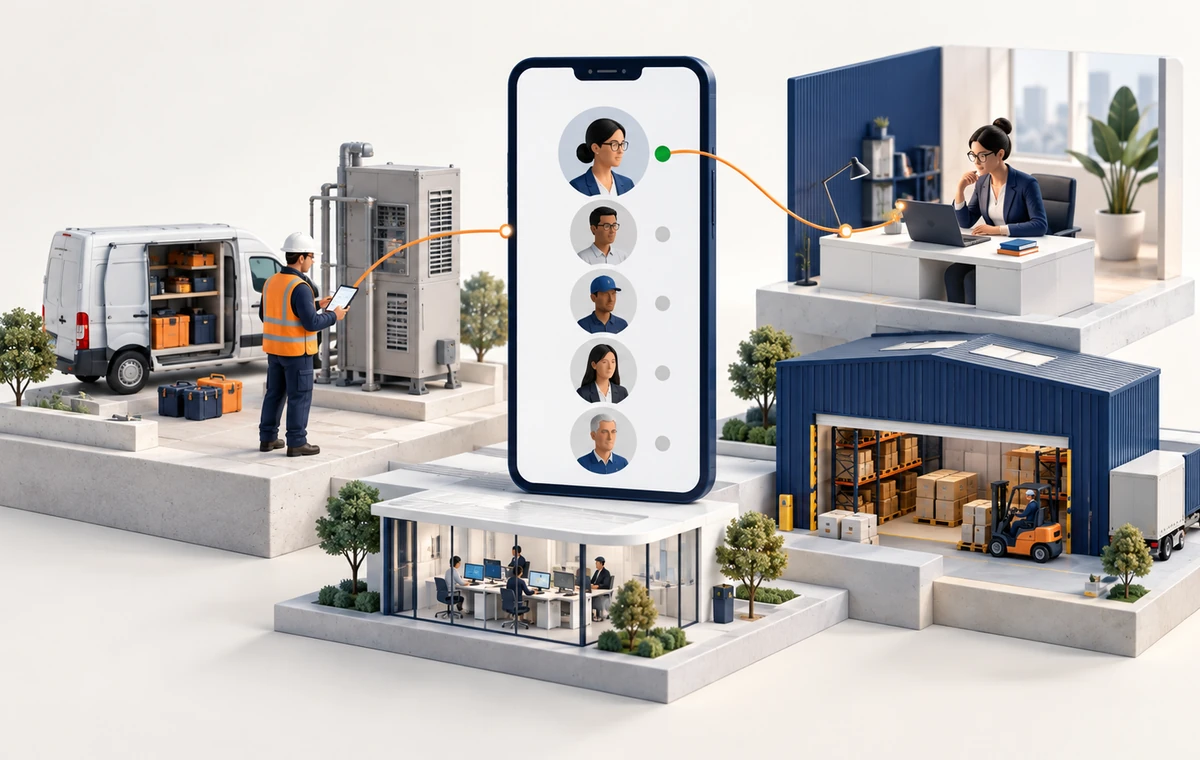
Frontline employees—nurses, engineers, retail associates—compose nearly 2 billion people, or 80 % of the global workforce, yet most still struggle to reach the right colleague at the right moment. At the same time, Microsoft found that monthly Microsoft Teams use on the front line grew 400% between March 2020 and November 2021, underscoring the demand for tools that travel with workers. As a mobile employee directory, TeamConnect puts every person, skill, and location in the palm of their hand, turning search‑and‑connect into a two‑second task anywhere, any time. blogs.microsoft.com news.microsoft.com
Our complete guide to the employee directory covers what any directory should hold and what Microsoft 365 already provides.

Context & Challenge: The Case for a Mobile Employee Directory
Walk into any hospital ward, construction site, or delivery hub and you will hear the same refrain: “Does anyone know who is on orthopedics today?” or “Where’s our hazardous‑materials specialist?” After all, frontline staff live in motion. Unlike desk‑based colleagues, they cannot scroll intranets or corporate phone lists; they need answers while hauling inventory, caring for patients, or servicing elevators.
Indeed, the gap is real. Microsoft’s Work Trend Index found that about a third of frontline workers lack the right technology tools, rising to 41% among non-managers. microsoft.com That blind spot eats time, saps morale, and, in regulated industries, risks compliance breaches when critical skills are missing.
Similarly, sales reps and field engineers face a parallel pain. While traveling between customer sites, they often need instant access to a bilingual contract manager, a pricing analyst, or a spare‑parts expert. When minutes decide whether a deal closes, hunting through outdated spreadsheets feels archaic.
Meanwhile, leaders pour investment into AI copilots and advanced analytics, but the output of any algorithm is only as good as its input—the people data that feeds it. In other words, without accurate, consolidated people data, AI cannot route questions, draft escalation paths, or surface expertise.
The lesson is simple: if a worker cannot find a colleague, they cannot perform at speed. A mobile employee directory, however, removes that bottleneck, creating a digital lattice of expertise that moves with the frontline and the road‑warrior alike.
Discover how TeamConnect can transform your organization—schedule a free demo today!
Deep-dive Insights: What a Mobile Employee Directory Delivers
1. Instant, Intuitive Search
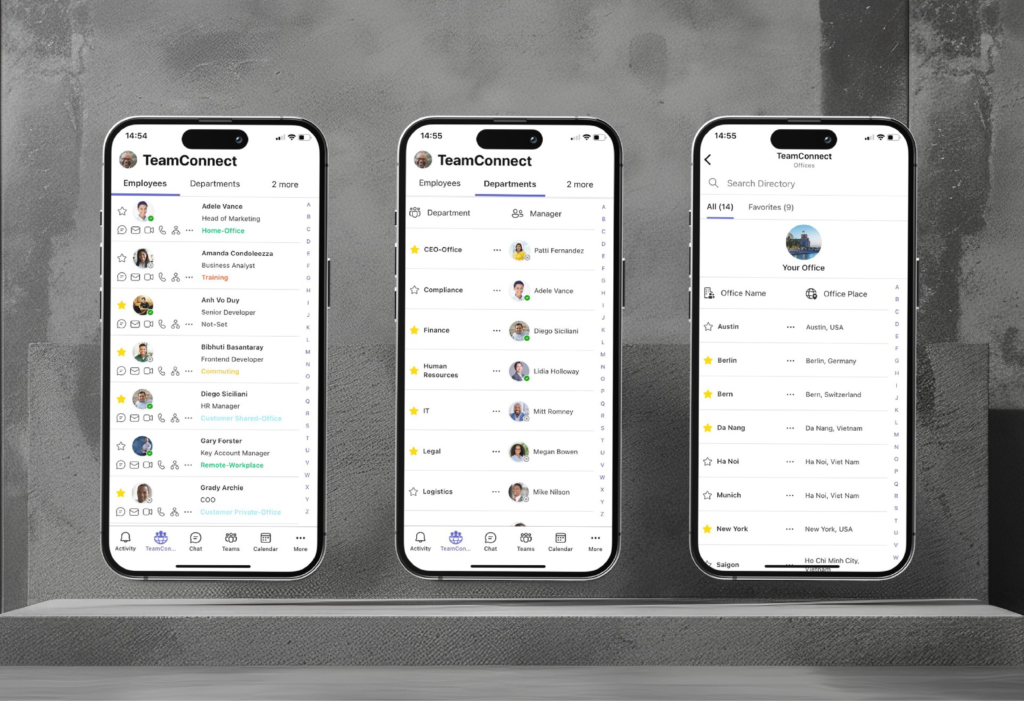
Above all, the TeamConnect mobile employee directory lives inside the Microsoft Teams mobile client. As a result, a single tap opens a federated search bar that accepts names, roles, skills, or languages. Results then appear with real-time presence indicators, making it obvious who is free to help—no separate app, no browser redirect—just one consistent experience.
2. Skill & language tags for rapid triage
Every profile can display certifications (e.g., first‑aid, HVAC, ISO 9001), spoken languages, and functional expertise. For example, managers on a factory floor can filter for “fork‑lift license” in seconds, while a global account executive can narrow to a “tax specialist in Germany.” That precision therefore converts downtime into productivity.
3. Live location & time‑zone context
In particular, frontline shifts and traveling sellers cross regions daily. TeamConnect displays each person’s local time, primary site, and—when specified—current workplace (office, home office, or customer). As a result, coordinating cross-border support becomes frictionless, and late‑night calls become a courtesy, not an accident.
4. Dynamic Org Charts on Mobile
Need escalation? Tap “Org view” in the mobile employee directory to see the reporting path from any employee up to the CEO. Frontline supervisors can identify decision‑makers on the spot, while field staff avoid bounced approvals by contacting the right approver first.
5. Security & Compliance Built-In
TeamConnect stores your people and organization records in SharePoint Online within your own Microsoft 365 tenant. It then reads them through the Microsoft Graph API, under the permissions your administrator consents to. Moreover, Cubeet does not use your data to train foundation models.
6. Multilingual Interface for Diverse Crews
In addition, the directory UI is available in 45+ languages. So a retail associate in São Paulo and a technician in Munich enjoy the same intuitive experience, boosting adoption across cultures.
Solution Lens – Why TeamConnect Wins
|
Frontline or Mobile Pain |
Typical Workaround |
How TeamConnect Removes the Friction |
|---|---|---|
|
Locate a specialist fast |
Call chain/paper list |
Universal search by job title, role, skill, license, or language |
|
Escalate an urgent issue |
Guess hierarchy |
Mobile org chart with direct escalation paths to line and functional managers |
|
Coordinate across time zones |
Manual conversion |
Display of colleague’s local time |
|
Capture accurate people data |
Multiple spreadsheets |
one accurate, consolidated org view synced with Microsoft Entra ID |
|
Keep on‑the‑road sellers connected |
Personal contacts |
In‑app call, chat, or email in one click |
|
Onboard new staff quickly |
Shadowing |
Rich profiles with role, skills, managers, direct and functional reports, and contact details |
|
Power AI copilots with context |
Sparse data |
Directory metadata feeds Microsoft Copilot securely |
Supercharge Communication with a Mobile Employee Directory
Are you ready to see how an Employee Directory can streamline team collaboration and boost productivity?
Then explore Cubeet’s Employee Directory and discover the difference TeamConnect can make in keeping your workforce connected.
Why mobile‑native matters: a study of TeamConnect pilot customers showed that over 65 % of directory look‑ups now originate from smartphones—proof that the workforce is already mobile‑first.
Why Microsoft Teams matters: with 320+ million monthly active users, Microsoft Teams is the natural hub where work happens (microsoft.com). As a result, embedding the directory here eliminates context‑switching and training overhead.
Why Cubeet matters: unlike generic tools, TeamConnect is natively built for Microsoft 365. Customers start in minutes—no custom code, no new log‑ins.
Business Impact of a Mobile Employee Directory
|
KPI |
Before TeamConnect |
After TeamConnect |
Annual Value* |
|---|---|---|---|
|
Average time to reach the correct colleague |
7 min |
<1.5 min |
1,400 hrs saved per 1,000 workers |
|
First‑call resolution for field sales |
58 % |
81 % |
+3 % revenue uplift |
|
Compliance‑critical skill coverage |
92 % |
99 % |
−40 % incident risk |
*Composite analysis across manufacturing, healthcare, and professional‑services customers (n = 12, FY 2025).
“When a technician can locate a certified safety officer in seconds, downtime disappears. TeamConnect turns people data into frontline horsepower.” — Reto Voegeli, CEO, Cubeet.
Ready to Take Your Employee Directory Mobile?
Book a personalized demo today, and then experience firsthand how TeamConnect empowers your teams to stay connected, efficient, and fully aligned—no matter how rapidly your organization evolves.
Book a Demo
Access TeamConnect Employee Directory Software
Visit the Microsoft Teams Store or Microsoft Marketplace to locate TeamConnect.
Start a 30-Day Free Trial
Then, in the Microsoft Teams Store, click Buy a Subscription, or in Microsoft Marketplace, click Get it now. During the trial, you won’t be charged; Microsoft will send reminder emails, and you can cancel the trial anytime.
“A connected workforce isn’t just efficient—it’s unstoppable.”
End-notes
-
Microsoft, “Empowering 2 Billion Global Frontline Workers,” 2022. blogs.microsoft.com
-
Microsoft Work Trend Index, “Technology Can Help Unlock a New Future for Frontline Workers,” 2022. microsoft.com
-
Microsoft Investor Relations, FY 2024 Q1 Earnings Call, 2024 (320 M Microsoft Teams MAU). microsoft.com
Related Resources
Frequently Asked Questions About Mobile Employee Directories
Is there an employee directory app for iOS and Android?
Yes. TeamConnect AI is the employee directory app inside Microsoft Teams. It runs in the Microsoft Teams mobile app on iOS and Android, so there is no separate app to install.
Does TeamConnect AI work on mobile devices?
Yes. TeamConnect AI runs natively inside Microsoft Teams on iOS and Android devices. The interface also adapts to small screens with touch-optimized search, quick-access profile cards, and one-tap communication actions. Moreover, it works with F1, F3, E3, and E5 licenses.
Can frontline workers use the employee directory on shared devices?
Yes. Since TeamConnect AI runs inside Microsoft Teams, it handles multi-user scenarios through Microsoft Teams’ own authentication. For example, each worker logs into Microsoft Teams on the shared device and sees the directory with their own role-based visibility permissions — no separate app installation required.
What can employees do from the mobile directory?
From the mobile directory, employees can search by name, department, skill, or location. They can also view employee profiles with photos, titles, and availability. In addition, they can start a Microsoft Teams chat, make a call, send an email, or schedule a meeting — all with one tap from any profile card.
Does the mobile directory require a separate license?
No. Instead, the mobile directory is included in the standard TeamConnect AI license. Any employee with Microsoft Teams access — including F1 and F3 frontline licenses — can use the directory on mobile without additional cost.